JSON parse errors: what each message means
24 NOVEMBER 2026 · 8 MIN READ
A JSON error message tells you where the parser stopped, not what went wrong. Once you know how offsets, string masking and non-JSON literals behave, most failures take seconds to diagnose.
JSON's grammar is tiny, which is why its error messages are so unhelpful: there is no recovery strategy in the language, so a parser stops at the first character it cannot place and says so. The message is a pointer into your text, and reading it correctly is a skill rather than a lookup.
The position is where it stopped, not where it broke
Engines such as V8 report a character offset — Unexpected token } in JSON at position 42. The parser walked to offset 42 and could not continue, which usually means the mistake is one token earlier: a missing comma, an unclosed string, or a bracket that closed a container two levels up. Read the twelve characters before the offset, not the ones after it. Where a document is long, that offset is the reason formatters exist: convert it to a line and column and the search becomes one glance instead of a scroll.
The messages you actually meet
| Message | Typical cause | Fix |
|---|---|---|
Unexpected end of JSON input | Truncated response, an unclosed string or bracket, or an empty body | Compare byte length with what the sender promised; check the final character first |
Unexpected token } in JSON at position N | Trailing comma before } or ] | Remove the comma; this is the one error JSON5 and JS object literals forgive |
Unexpected token ] in JSON at position N | Missing comma between two members | Add the comma; a newline is not a separator in JSON |
Unexpected token ' in JSON at position N | Single quotes, straight or curly | Convert to double quotes, escaping any that sit inside the value |
Unexpected token a in JSON at position 1 | An unquoted key, as in {a: 1} | Quote the key |
Unexpected token n in JSON at position N | NaN, or a bare None from Python | Replace with null or a number |
Unexpected non-whitespace character after JSON | Two documents concatenated, or NDJSON pasted into a JSON field | Split the input: parse line by line instead of as one value |
Unexpected token T in JSON at position N | True/False from a Python dump | Lowercase them |
Python, JavaScript and JSON disagree about literals
| Source | Writes | JSON expects |
|---|---|---|
| Python | True, False, None | true, false, null |
| Python | {'key': 'value'} from str(dict) | {"key": "value"} |
| Python | (1, 2) tuple | [1, 2] |
| JavaScript | undefined, NaN, Infinity | nothing — the property must be absent, or null |
| JavaScript | { key: 1 } object literal | { "key": 1 } |
| JavaScript | new Date(), Map, Set | a string, an object or an array built explicitly |
| JSONC, JSON5, HJSON | comments, trailing commas, unquoted keys | none of it |
JSON.stringify is the usual culprit on the JavaScript side: it silently drops properties whose value is undefined, turns NaN into null, and serialises a Date into a string. None of that is an error, which is why a round trip through a JS object can quietly change your data before it ever reaches a file.
The invisible breakers
- ▸A UTF-8 byte order mark at offset 0. Excel and some Windows tools write it; parsers report an unexpected token at position 0 or 1 with no visible character there.
- ▸A raw newline inside a string. JSON forbids unescaped control characters in string bodies, so a multi-line message copied out of a log fails instantly even though it looks fine.
- ▸Non-breaking spaces (U+00A0) pasted from a web page or a slide deck, sitting where the parser expects whitespace.
- ▸Curly quotes from any word processor replacing the ASCII quotes that delimit keys and strings.
- ▸A zero-width space inserted by copy-paste between a key and its colon.
- ▸Escaped backslashes in Windows paths:
"C:\\new\\file"is valid,"C:\new\file"is not, because\nand\fare real escapes.
Numbers that change on the way through
Some inputs parse without error and are still wrong. JSON numbers are IEEE-754 doubles, so an integer longer than 17 digits loses its tail: 12345678901234567890 round-trips as 12345678901234567000. Twitter ids, Snowflake ids, microseconds since epoch and EAN codes all hit this. Keep them quoted, or parse with a big-integer-aware reader. The same trap catches values that were never numbers: a version string written as 1.10, a zip code written as 01234, and a product code like 1E5.
A diagnosis order that works
- 01 Read the offset, then look backwards from it, not forwards.
- 02 Ask whether the offset is near the end of the document — if it is, you almost certainly have a truncation problem rather than a syntax problem.
- 03 Check the first character's code point before believing that position 0 is the start of your JSON.
- 04 Validate in strict mode to see the raw failure, then run the same input in repair mode to see which fixes the engine considers safe.
- 05 If the input is several documents concatenated, split it on the line boundary and parse each record separately.
- 06 Once it parses, diff the value against what the producer promised — a document that parses and is wrong is the expensive case.
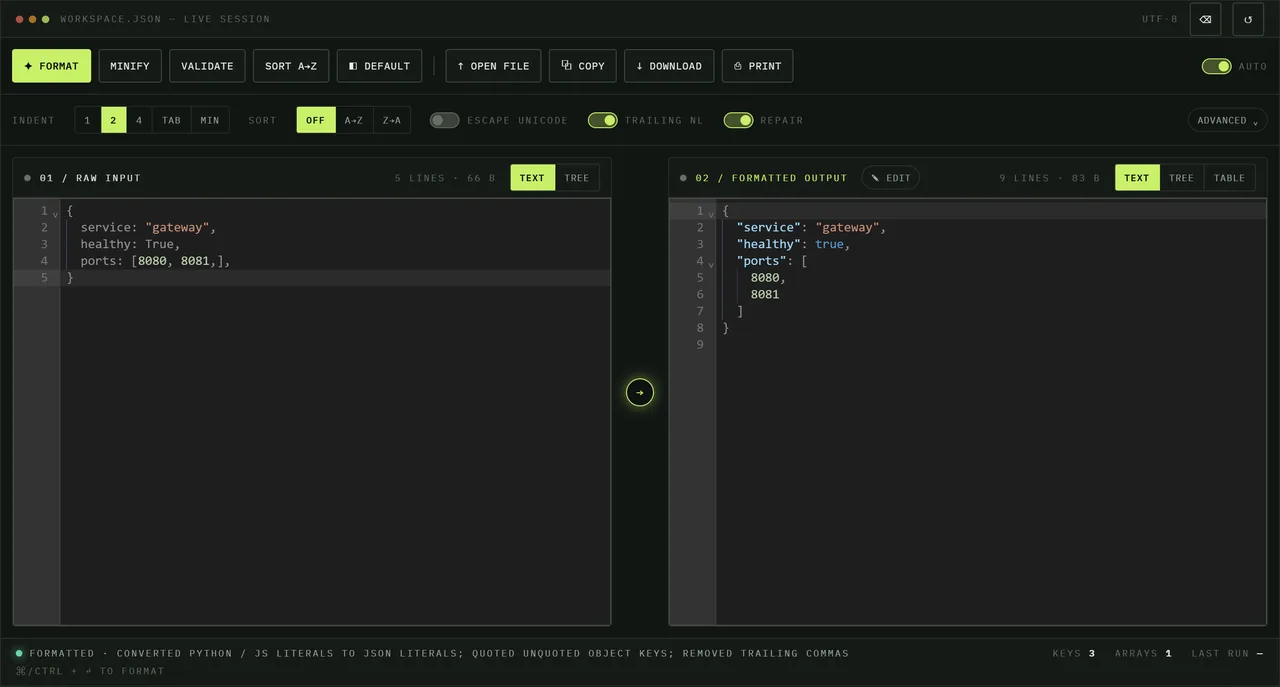
On this site the whole loop is local: the validator reports the position and the derived line and column, the repair pass removes comments, quotes bare keys and rewrites Python literals before parsing, and the formatter shows the value in a tree so you can confirm what the document actually became. If the payload arrived base64-encoded — a token, a query parameter — decode it first on Base64 to JSON, because an encoding layer under a parse error looks exactly like malformed JSON.